Software Wedge Data Acquisition
A software wedge passes readings from an instrument into Excel or another Windows program, so you can chart, log and report without programming. If your goal is sensor readings in Excel, there is often a simpler chain: read the sensors directly with ROI-650 sensor I/O and ROI viewing and recording software, and send live values into Excel cells.
What is a software wedge?
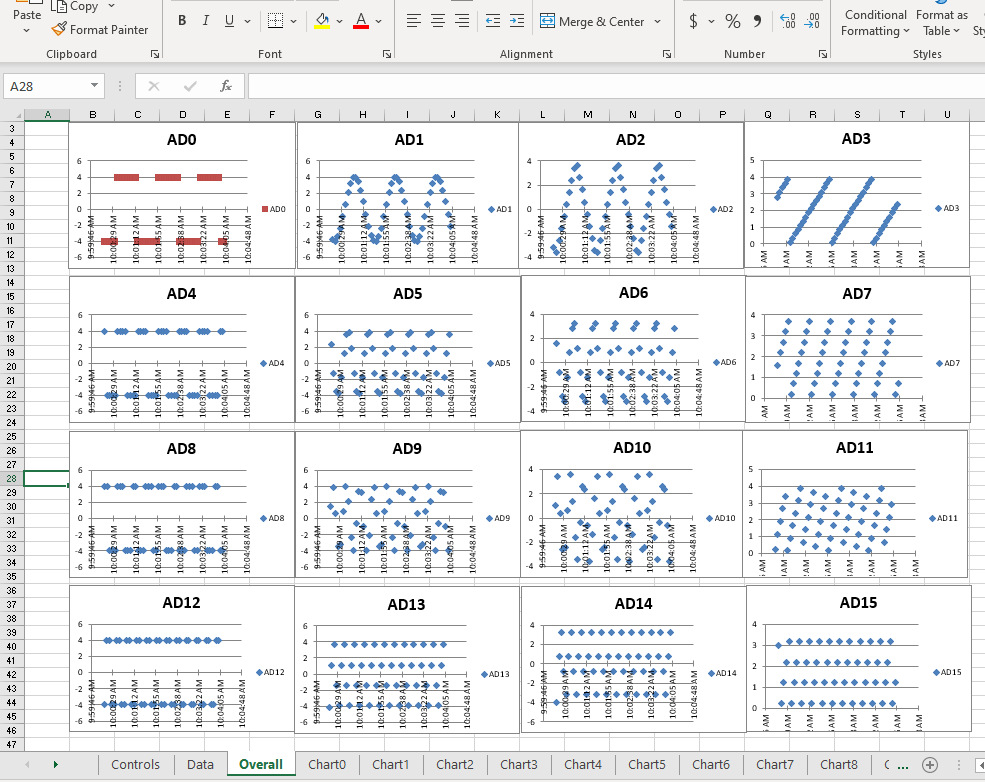
A software wedge sits between a data source and a Windows application. It takes the text an instrument sends – usually over a serial port – and “wedges” it into the application, either as typed keystrokes or through a live link such as DDE. Excel then charts, logs and reports the values.
Wedges work well for instruments that already produce readings: meters, scales, gauges and other serial devices. For raw sensors – thermocouples, RTDs, thermistors, 4-20 mA and voltage signals – a wedge still needs an instrument in front of it to measure the sensor and send text, and the text has to be parsed.
Software wedges from Robert Owen
- DDE server apps – live readings from Robert Owen hardware into Excel cells. DDE connection
- MQTT to Excel – readings from remote devices into a workbook as they change. MQTT to Excel
- ROI viewing and recording software – reads the sensors directly and streams them into Excel. ROI viewing and recording
Serial instruments to connect? Tell us the device – we write serial connections into custom solutions.
If your goal is sensor readings in Excel, here’s a simpler chain
| Step | Sensor + instrument + wedge | ROI-650 + ROI recording software |
|---|---|---|
| Measure the sensor | A separate meter or instrument per sensor type | ROI-650 reads the sensors directly – 24-bit, cold-junction compensation built in |
| Get it to the PC | Serial port and cable per instrument | One USB or network connection |
| Make it numbers | Parse the instrument’s text into values | Channels set up once, with units and scaling – no parsing |
| Into Excel | Keystrokes or DDE | Live values into Excel cells, plus charts, meters and data file recording |
ROI viewing and recording software reads ROI-650 sensor inputs, not serial devices. For serial instruments, contact us.
Sensor data to Excel, without a wedge
- Real-time readings into Excel cells – no programming
- Up to 8 channels per ROI-650, read directly from the sensors
- Thermocouple, RTD, thermistor, voltage, current, resistance, load cell and strain gage inputs
- Labels, engineering units and linear scaling per channel
- Live charts, digital meters and one-click logging to file
- Setup files that reopen on any PC; link and instrument status at a glance

ROI Pro edition: several units in one window
Everything in the standard ROI edition, plus several ROI-650 units read together in one window, with combined data file recording and the same live link into Excel.
ROI Pro edition details →Software wedge – common questions
What does a software wedge do?
It passes data from an instrument – usually text from a serial port – into Excel or another Windows program, as keystrokes or through a live DDE link, so the values can be charted and logged without programming.
Do I need a wedge to get sensor readings into Excel?
Not always. If the sensors connect to ROI-650 sensor I/O, ROI viewing and recording software reads them directly and sends live values into Excel cells – no serial instrument or text parsing in between.
Can I connect serial instruments?
Yes, as part of a custom solution. Tell us the instrument and what you need in Excel.
Can I get readings from a remote site into Excel?
Yes. MQTT to Excel brings readings from remote devices into a workbook as they change.
Get your sensors into Excel
Tell us the sensors, how many, and what the spreadsheet needs to show. Robert Owen writes its own software and has connected sensors to software for years – signal conditioning, signal processing and data acquisition.
Questions? Contact us – we look forward to answering them.